Warm
Filmic
Moody
The real instruments
Lift, gamma and gain on their own wheels, curves on the channel, blend modes underneath.
Looks you can take apart
Ask for warm or filmic and what lands is an effect stack with values in it, not a sealed filter.
Scopes while you work
Histogram, waveform, parade and vectorscope, computed on the frame you are looking at. How the scopes read
It leaves in one piece
One working space through the cut, and an export tagged to match what the monitor showed you.
Every value it set, you can move.
A look is not a sealed filter. Ask for warm and the wheels are still on it.
Open a look and change itGradeWarm, opened
Lift
Gamma
Gain
Saturation
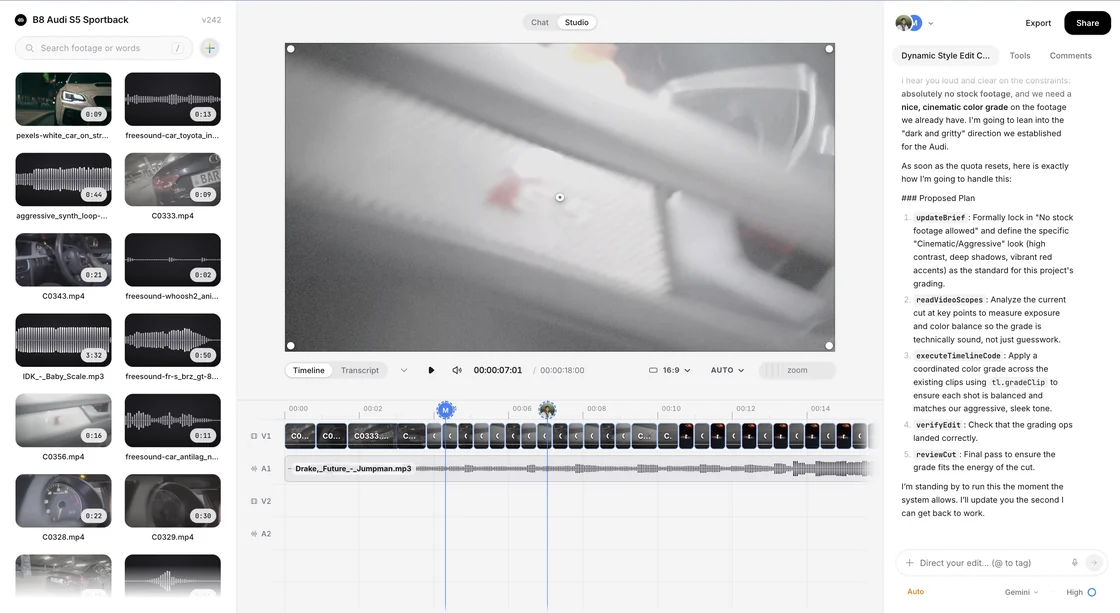
The grade lives on the timeline.
Not in a panel bolted to the side.
Not here yet
Nothing invents a grade from a sentence
Describing a mood picks from a set of named looks and dials it. It does not derive curves for your particular frame, and a page telling you otherwise would be describing a feature we would then have to build.
No shot matching across a project
There is no one-click "make everything look like this clip". Matching a sequence is still a shot-by-shot job, with the scopes to check it against.
No relighting
Shadows and lighting direction are what the camera recorded. Nothing here moves a light after the fact.
Nothing protects skin tones for you
Push saturation and faces go with it. The vectorscope has the skin line drawn on it, which is the honest version of that promise: a reference to grade against, not a guard rail.
One editor, open in a browser tab.
Your footage in it, and everyone you invite.

Bring your own footage.
Start editingWhat else is in here.
What it costsEach of these is as clear about what is missing as this page was.
Versions and historyNamed save points, an undoable restore, and links pinned to one version.PublishingOne queue for YouTube, Instagram and TikTok. Only YouTube reports back.AudioCuts land on a measured tempo. Music ducks off the transcript, not loudness.MonitoringFour scopes reading the frame you are looking at. Standard range only.The scheduleA calendar inside the editor. Finish the cut now, post it on Thursday.The studioThe editor itself: a timeline in a tab, an assistant that has watched the footage.CliveWatches your stream and posts the clips before you log off. Its own product.Keeping a look consistentNothing scans your brand guide. Shared looks make the right one the easy one.Skeet on the desktopNo installer. It runs in the tab, on your own hardware.Skeet on a phoneNo app to install. A cut you send opens in any phone browser.