
It is already playing
No download, no preview. Open a link and it runs. System requirements
It has watched the footage
Describe the shot you want. It searches the footage, not the filenames.
It will do the first pass
Say what the cut should be. A first draft arrives on the timeline.
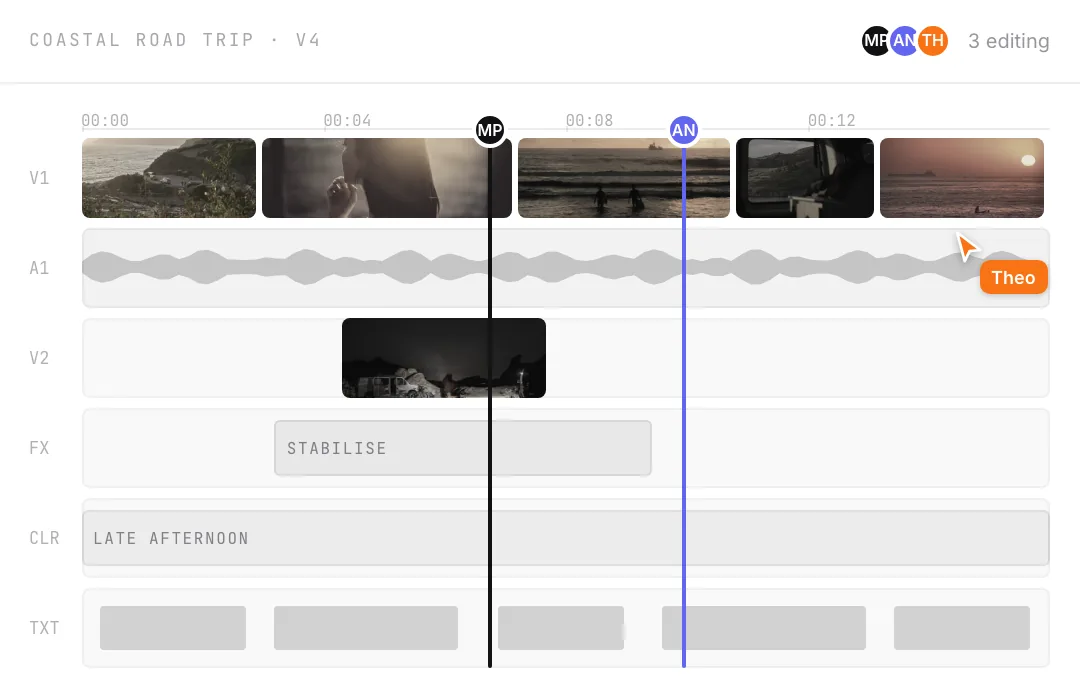
Everyone lands in one project
Invite whoever is editing with you, and see what they are doing.
Ask for the first cut, then change it.
Say what the piece should be. It has already watched the footage, so a first pass lands.
0:04Read the day three rushes
0:31Find the drive to the headland
1:12Assemble a first pass
The coast film5:125:08
Cut day three to five minutes. Keep the drive out to the headland.Trim four seconds off the top.
0:000:100:200:30


Grade it where you cut it.
No round trip, no second application.
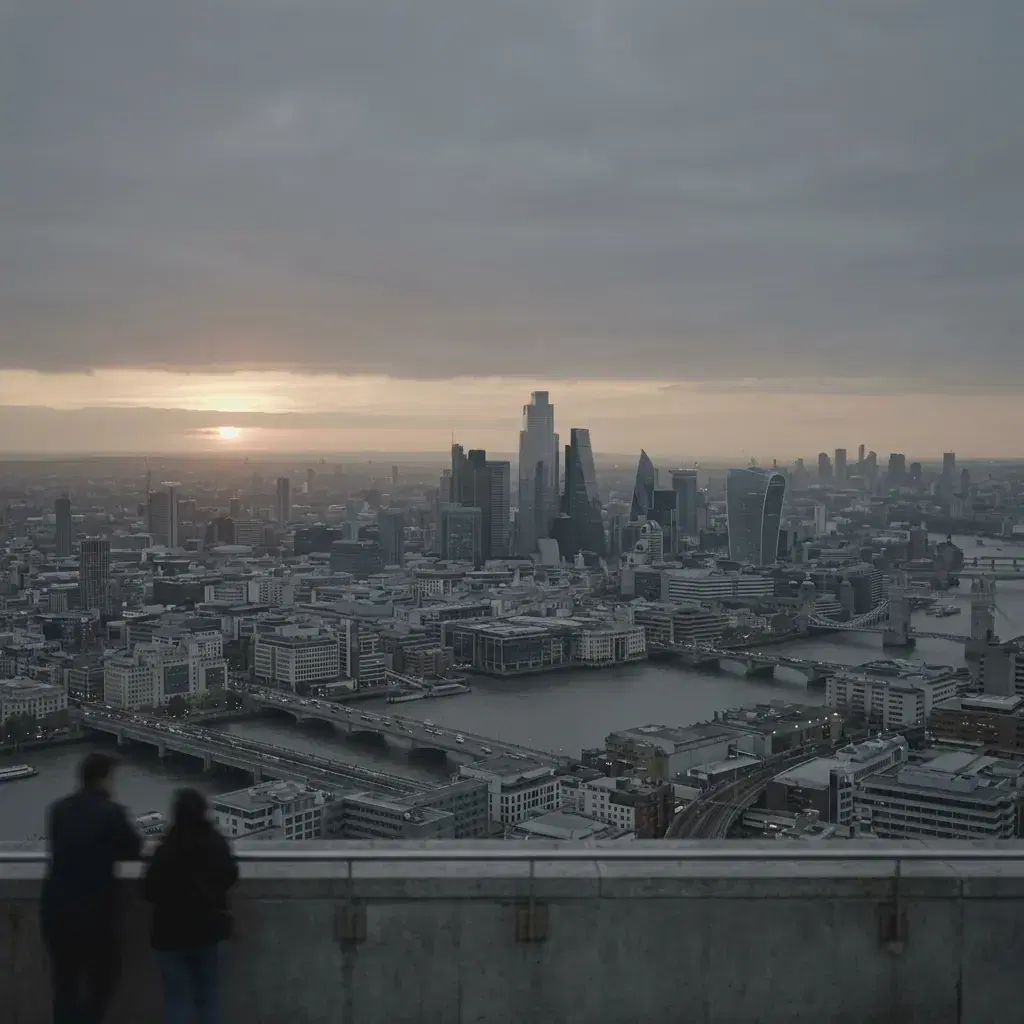
Curves and wheels
The controls you already know, on the real frame rather than a proxy.
Secondaries
Pull one colour out of the picture and grade it on its own.
Blend modes
Stack a look over a shot and choose how the two meet.
Windows
Grade part of the frame and leave the rest. The window follows the shot.
Everyone you invite lands here.
Not a copy, and not an export you send round. You see where the others are working.
EditorCan edit the cut
ViewerCan watch
LinkExpires in 7 days
Upload what the camera gave you.
It plays in the tab, whatever it was.
What you uploadedWhat plays
A003_0512.MOV
reel_master.mov
gopro_04.MP4
Made in the background once the upload lands, so it never holds up the edit.
Whatever it came off
HEVC, VP9, ProRes and the rest become a copy the tab can play.
It follows the project
The proxies are what plays when somebody else opens the project.
The originals stay yours
What you uploaded is what renders, and you can take it back down.
Nothing gets upscaled
A size bigger than what you shot is skipped, not invented.
Render it in the same tab.
Pick a size and a frame rate. What lands on your disk is the picture the monitor was showing.
Size720p · 1080p · 4K
Rate24 · 30 · 60 fps
Goes toAny of: download, your disk, the library
The coast filmExport
Rendering1080p · 30 fpsthe-coast-film.mp45:08
MP4H.264, whichever codec went in
It also knows what was said.
Search the words, and cut by taking them out.
The coast film · day three01:12:40
headland2/5
15 wordsCut
0:18
We came over the hill and the whole headland was under cloud, um , so we waited it out in the van.
0:31
I think we sat there for the better part of an hour talking about nothing at all , and then it opened up.
—
Sorry, can we go again from the top of that one.
0:47
The light came back across the headland about ten minutes before we lost it for good.
1:02
You can hear the wind take the microphone right at the top of that shot, you know , so we ran it again from the fence line.
1:19
Second time down the road was the one. Nobody said anything for a mile.
—
Is it still rolling? Yeah. Fine, keep it.
1:34
By the time we parked at the headland it was that blue half hour and the whole bay went quiet.
1:51
Somebody had left a chair out on the point and neither of us moved it.
2:04
We shot the last of it handheld because the tripod was still in the boot, um , and honestly it is the better take.
2:20
Then the wind got up and that was the day.
Transcribed on the way in
It happens when the upload lands, not when you ask for it.
Search the sentence
Type a phrase and land on the moment somebody said it.
Cut by deleting words
Take the line out of the transcript and the cut follows.
The ums are already found
One button takes every filler word out of the shots on screen.
Send the cut, not the file.
A link plays the current version in a browser. What comes back is attached to the moment it is about.
TomWrong take. The second one is warmer.02:06
AnaCan the title hold to the cut?03:12
The coast film · v4Sent Tuesday
Priya00:41
Hold this one a beat longer.
Then it leaves.
Three destinations, and an honest count of what came back.
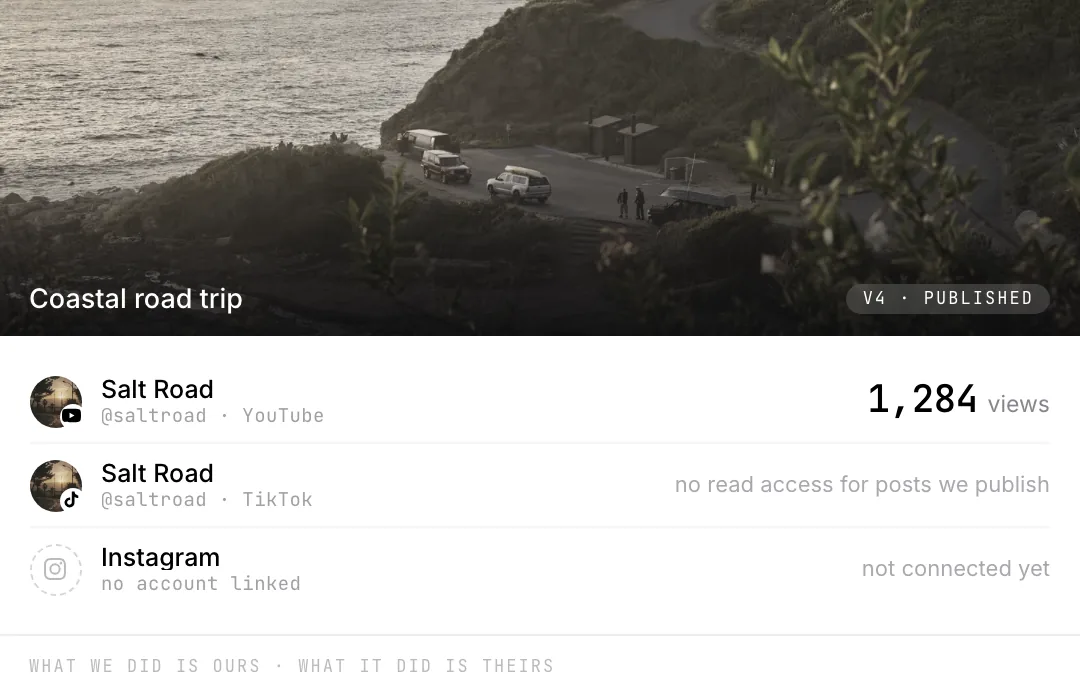
Three destinations
YouTube Shorts, Instagram Reels and TikTok, each posted on its own.
Or later, on a clock
Send it when the render lands, or put it on the calendar.
One of them reports
YouTube sends figures back. The other two do not, and we say so.
What went out is yours
Every post is recorded here, whether the platform answers or not.
The part you scrolled for
A whole page about an editor, and you came for the number. Fair enough.Here is what it costs.
Starter100 GB · Baseline usage$10/monthCreator500 GB · 2.5× the usage$29/monthProMost taken1 TB · 6.2× the usage$69/monthEnterpriseUncapped footage and usageCustom
Starter
A side project that keeps moving.
$10/month
Billed monthly. No annual commitment.
- Everything in Base, plus
- Baseline usage
- Review links for people outside your workspace
- 100 GB of footage
Creator
The channel you post to.
$29/month
Billed monthly. $23/mo if you pay yearly.
- Everything in Starter, plus
- 2.5× the usage
- 500 GB of footage
Most taken
Pro
Full-time, and the footage piles up.
$69/month
Billed monthly. $55/mo if you pay yearly.
- Everything in Creator, plus
- 6.2× the usage
- 1 TB of footage
Enterprise
Networks, agencies, and an SLA.
Custom
A rate and an SLA we agree with you.
- Everything in Pro, plus
- Uncapped usage
- Uncapped footage
- A rate we agree with you
Every plan is the same editor.
What changes is how much of it you use.
Nothing to install
A browser tab, on the machine you already have.
Your footage stays yours
Download the originals whenever, and take them with you.
Month to month
Billed monthly, and you move up or down when the work does.
Start free
No card and no end date. The bottom rung is a plan, not a trial.
One editor, open in a browser tab.
Your footage in it, and everyone you invite.
Bring your own footage.
Start editingWhat else is in here.
What it costsEach of these is as clear about what is missing as this page was.
ColorAsk for a look, then take the wheels yourself. Curves, LUTs and blend modes.Versions and historyNamed save points, an undoable restore, and links pinned to one version.PublishingOne queue for YouTube, Instagram and TikTok. Only YouTube reports back.AudioCuts land on a measured tempo. Music ducks off the transcript, not loudness.MonitoringFour scopes reading the frame you are looking at. Standard range only.The scheduleA calendar inside the editor. Finish the cut now, post it on Thursday.CliveWatches your stream and posts the clips before you log off. Its own product.Keeping a look consistentNothing scans your brand guide. Shared looks make the right one the easy one.Skeet on the desktopNo installer. It runs in the tab, on your own hardware.Skeet on a phoneNo app to install. A cut you send opens in any phone browser.